Appearance
Hooks
Building a Safety, Quality, and Governance Layer for AI-Assisted Development
If you've used Claude Code for any serious project, you've probably had a moment of unease. Claude is smart — impressively so — but "smart" and "safe" aren't the same thing. What happens when it decides to helpfully reorganize your .env file? Or clean up your project with a casual rm -rf? Or push force to main?
This is where Hooks come in — Claude Code's mechanism for injecting deterministic, enforceable rules into an otherwise probabilistic AI workflow. Think of them as middleware for AI tool calls: they intercept, observe, and augment Claude's actions at every critical point in its lifecycle, so you can stop worrying about what the AI might do and start defining what it must never do.
This post walks through the Hook system end to end: the mental model, the event architecture, the configuration patterns, and — most importantly — the battle-tested recipes that turn Claude Code from a clever assistant into a governed engineering system.
Official resources: The Hooks Guide covers getting started, and the Hooks Reference documents every event schema and configuration option in detail.
Why Hooks Exist: The Middleware Mental Model
Claude Code's extension system has three pillars, each with a distinct role:
- Commands tell Claude what to do — they're task entry points.
- Skills tell Claude how to do it — they carry domain knowledge and patterns.
- Hooks define whether it's allowed, and what must happen around it — they're the guardrails, the formatters, the audit trail.
The key insight is that Hooks are the only mechanism that can intercept or modify Claude's behavior. Commands and Skills are advisory; Hooks are enforceable. They're the difference between "please remember to run the linter" (which Claude might forget after context compaction) and "the linter runs on every file save, period."
This maps directly to how middleware works in web frameworks: your application logic (Claude) handles the creative work, while middleware (Hooks) enforces cross-cutting concerns — authentication, logging, validation, rate limiting — without the application needing to know or care about them.
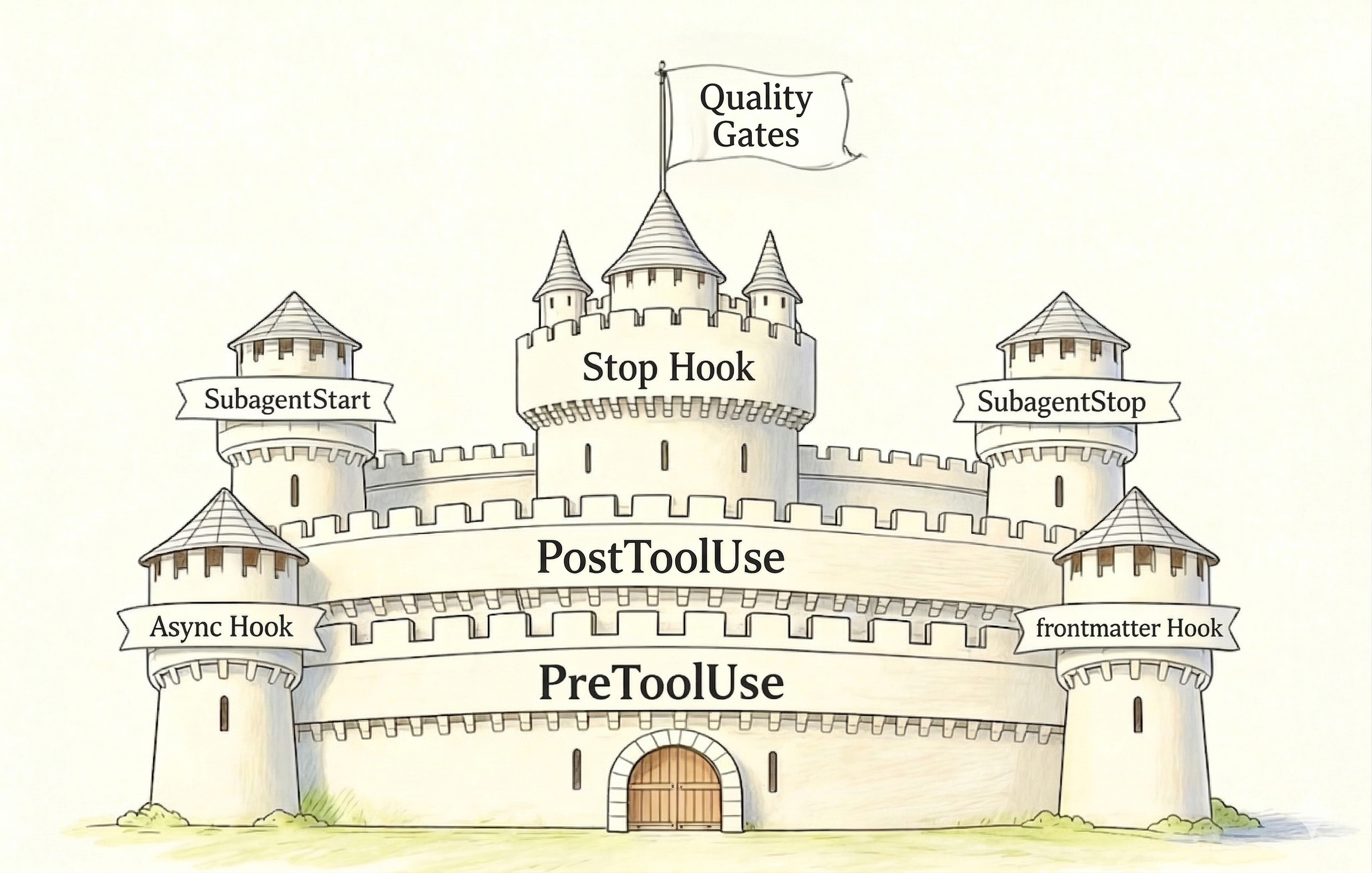
The Event Lifecycle: When Hooks Fire
Hooks attach to specific lifecycle events. These events fall into three categories based on how much power they grant:
Control Points — these can change the execution path:
PreToolUse: fires before any tool call. Can block the call, modify its parameters, or let it through.UserPromptSubmit: fires before Claude processes a user message. Can reject or rewrite input.Stop/SubagentStop: fires when Claude (or a subagent) thinks it's done. Can force it to continue working.
Takeover Points — these replace default behavior:
PermissionRequest: your script auto-approves or auto-denies permission requests instead of the interactive dialog. This is how you build "autopilot mode."
Observation Points — these watch but can't block:
PostToolUse,PostToolUseFailure: fires after a tool succeeds or fails. Can inject feedback into Claude's context.SessionStart,SessionEnd: fires at session boundaries. Useful for environment setup and cleanup.SubagentStart: fires when a subagent launches. Can inject context but can't prevent the launch.Notification,PreCompact: informational events for logging, backup, and alerting.
This asymmetry is deliberate. Before an action happens, the state is still clean — you can safely say "no." After an action, the file is already written, the command already ran. You can observe and react, but you can't pretend it didn't happen.
Configuration: Three Layers of "When, Who, What"
Hook configuration lives in JSON settings files, organized in three nesting levels:
json
{
  "hooks": {
    "PreToolUse": [
      {
        "matcher": "Bash",
        "hooks": [
          {
            "type": "command",
            "command": "$CLAUDE_PROJECT_DIR/.claude/hooks/block-dangerous.sh"
          }
        ]
      }
    ]
  }
}
Layer 1 — Event type (PreToolUse): when does this fire?
Layer 2 — Matcher ("Bash"): which tool does it apply to? Supports exact match ("Write"), alternatives ("Edit|Write|MultiEdit"), wildcard ("*" for auditing everything), or empty string (for lifecycle events without a tool).
Layer 3 — Hook handlers: what runs? Each handler has a type — command, prompt, agent, or http — defining how the check is performed.
Configuration Hierarchy
Settings cascade from broad to narrow:
- User-level (
~/.claude/settings.json): personal preferences — notifications, logging formats. - Project-level (
.claude/settings.json): team standards — commit to version control so everyone gets the same guardrails. - Local override (
.claude/settings.local.json): temporary tweaks for debugging. Gitignored. - Subagent frontmatter: hooks scoped to a single subagent's lifetime — e.g., SQL injection checks only for your
db-readeragent.
The Four Hook Execution Types
Not every check needs the same tool. The principle is: use the lightest mechanism that gets the job done.
| Type | How it works | Best for | Cost |
|---|---|---|---|
command | Runs a shell script. Reads JSON from stdin, returns decisions via exit code + stdout JSON. | Deterministic rules: blacklists, formatting, logging | Lowest |
prompt | Sends context to a small model (e.g., Haiku) for a single-shot judgment. | Fuzzy checks that can't be expressed as regex: "does this code have obvious security issues?" | Low |
agent | Spins up a subagent with access to Read/Grep/Glob tools. | Complex validation requiring exploration: "do all public APIs have documentation?" | High |
http | POSTs event data to a remote endpoint. The endpoint returns a JSON decision. | Centralized governance: shared security scanning, team-wide audit platforms | Variable |
The decision ladder: command → prompt → agent → http. Escalate only when the simpler option genuinely can't handle the requirement.
PreToolUse: The Safety Gate
PreToolUse is where you prevent disasters. The hook receives the full tool call as JSON (tool name, parameters, session context) and returns a decision:
exit 0with empty JSON{}: no opinion, let it through.exit 2withpermissionDecision: "deny": block the call. Claude sees the reason and adjusts.exit 0withpermissionDecision: "allow"+updatedInput: modify the parameters before execution (e.g., auto-append--dry-run).
Recipe 1: Blocking Dangerous Commands
Match on Bash, inspect tool_input.command, and blacklist patterns that should never execute in any context:
bash
#!/bin/bash
# .claude/hooks/block-dangerous.sh
INPUT=$(cat)
COMMAND=$(echo "$INPUT" | jq -r '.tool_input.command // empty')

DANGEROUS_PATTERNS=(
  "rm -rf /"
  "rm -rf /*"
  "rm -rf ~"
  "> /dev/sd"
  "mkfs."
  "dd if="
  ":(){ :|:&"
  "git push --force origin main"
  "git push --force origin master"
  "git reset --hard origin"
  "DROP DATABASE"
  "DROP TABLE"
  "TRUNCATE"
  "curl.*| *sh"
  "curl.*| *bash"
  "wget.*| *sh"
  "wget.*| *bash"
)

for pattern in "${DANGEROUS_PATTERNS[@]}"; do
  if echo "$COMMAND" | grep -qi "$pattern"; then
    jq -n --arg reason "Blocked: matches dangerous pattern '$pattern'" '{
      hookSpecificOutput: {
        hookEventName: "PreToolUse",
        permissionDecision: "deny",
        permissionDecisionReason: $reason
      }
    }'
    exit 2
  fi
done

echo '{}'
exit 0
This catches everything from fork bombs to force-pushes, regardless of whether it's Claude or a sleepy engineer at 2 AM triggering the command.
Recipe 2: Protecting Sensitive Files
Different tool, different field. For Write and Edit, the sensitive parameter is tool_input.file_path, not tool_input.command:
bash
#!/bin/bash
# .claude/hooks/protect-files.sh
INPUT=$(cat)
FILE_PATH=$(echo "$INPUT" | jq -r '.tool_input.file_path // empty')

SENSITIVE_PATTERNS=(
  "\.env$" "\.env\." "credentials\.json"
  "secrets\.yaml" "secrets\.yml"
  "\.pem$" "\.key$" "id_rsa" "id_ed25519"
  "\.ssh/config" "kubeconfig"
)

for pattern in "${SENSITIVE_PATTERNS[@]}"; do
  if echo "$FILE_PATH" | grep -qiE "$pattern"; then
    jq -n --arg reason "Protected file: $FILE_PATH cannot be modified" '{
      hookSpecificOutput: {
        hookEventName: "PreToolUse",
        permissionDecision: "deny",
        permissionDecisionReason: $reason
      }
    }'
    exit 2
  fi
done

echo '{}'
exit 0
Configure with "matcher": "Write|Edit". Now "never touch .env files" is an executable policy, not a hope.
PostToolUse: The Quality Loop
After a tool runs successfully, PostToolUse hooks can do three things:
- Post-process: auto-format the file that was just written.
- Inspect and report: run a linter, report results.
- Inject feedback: push findings into Claude's context via
additionalContext, triggering it to self-correct.
That third capability is the magic. It creates an automatic feedback loop: Claude writes code → the hook runs ESLint → ESLint reports three warnings → Claude sees them in context → Claude fixes the issues → the hook runs again → clean. No human involvement needed.
Recipe 3: Auto-Format on Save
bash
#!/bin/bash
# .claude/hooks/auto-format.sh
INPUT=$(cat)
FILE_PATH=$(echo "$INPUT" | jq -r '.tool_input.file_path // empty')

[ -z "$FILE_PATH" ] || [ ! -f "$FILE_PATH" ] && { echo '{}'; exit 0; }

EXT="${FILE_PATH##*.}"
case "$EXT" in
  js|ts|jsx|tsx|json|md|css|html)
    if command -v npx &>/dev/null; then
      npx prettier --write "$FILE_PATH" 2>/dev/null
      echo "{\"hookSpecificOutput\":{\"additionalContext\":\"Formatted $FILE_PATH with Prettier\"}}"
    else
      echo "{\"hookSpecificOutput\":{\"additionalContext\":\"Prettier not available\"}}"
    fi ;;
  py)
    if command -v black &>/dev/null; then
      black "$FILE_PATH" 2>/dev/null
      echo "{\"hookSpecificOutput\":{\"additionalContext\":\"Formatted $FILE_PATH with Black\"}}"
    else
      echo '{}'; fi ;;
  go) gofmt -w "$FILE_PATH" 2>/dev/null && echo "{\"hookSpecificOutput\":{\"additionalContext\":\"Formatted with gofmt\"}}" || echo '{}' ;;
  rs) rustfmt "$FILE_PATH" 2>/dev/null && echo "{\"hookSpecificOutput\":{\"additionalContext\":\"Formatted with rustfmt\"}}" || echo '{}' ;;
  *) echo '{}' ;;
esac
exit 0
Notice the graceful degradation: if a formatter isn't installed, the hook reports it but doesn't block Claude's work. Handle missing tools with silence, not failure.
Recipe 4: Auto-Lint with Feedback
bash
#!/bin/bash
# .claude/hooks/lint-check.sh
INPUT=$(cat)
FILE_PATH=$(echo "$INPUT" | jq -r '.tool_input.file_path // empty')
EXT="${FILE_PATH##*.}"

case "$EXT" in
  js|ts|jsx|tsx) ;;
  *) echo '{}'; exit 0 ;;
esac

LINT_OUTPUT=$(npx eslint "$FILE_PATH" 2>&1 || true)
LINT_LINES=$(echo "$LINT_OUTPUT" | head -30)

if [ -n "$LINT_OUTPUT" ] && echo "$LINT_OUTPUT" | grep -q "error\|warning"; then
  ESCAPED=$(echo "$LINT_LINES" | jq -Rs .)
  echo "{\"hookSpecificOutput\":{\"additionalContext\":\"ESLint found issues:\\n${ESCAPED}\"}}"
else
  echo "{\"hookSpecificOutput\":{\"additionalContext\":\"ESLint: No issues found\"}}"
fi
exit 0
The || true after ESLint prevents non-zero exit codes from killing the script. The head -30 truncation keeps context injection lean — Claude doesn't need 500 lines of lint output, just the first few problems.
Recipe 5: Audit Logging
For regulated environments (finance, healthcare, government), every AI action needs a paper trail:
bash
#!/bin/bash
# .claude/hooks/audit-log.sh
INPUT=$(cat)
TIMESTAMP=$(date -u +"%Y-%m-%dT%H:%M:%SZ")
TOOL_NAME=$(echo "$INPUT" | jq -r '.tool_name // "unknown"')
TOOL_INPUT=$(echo "$INPUT" | jq -c '.tool_input // {}')

LOG_DIR="${CLAUDE_PROJECT_DIR:-.}/.claude"
mkdir -p "$LOG_DIR"
echo "[$TIMESTAMP] $TOOL_NAME: $TOOL_INPUT" >> "$LOG_DIR/audit.log"

echo '{}'
exit 0
Configure with "matcher": "*" to capture everything. This produces a chronological record of every tool call — what was invoked, with what parameters, when.
Stop Hooks: "Done" Means "Verified"
The Stop event fires when Claude believes it's finished. Without a Stop Hook, "finished" just means Claude stopped generating. With one, it means Claude's output has passed your acceptance criteria.
The mechanism: return { "decision": "block", "reason": "...", "continue": true } to force Claude back to work. Return { "decision": "approve" } to let it stop.
Recipe 6: Gate on Tests
bash
#!/bin/bash
# .claude/hooks/run-tests.sh
INPUT=$(cat)
STOP_ACTIVE=$(echo "$INPUT" | jq -r '.stop_hook_active // false')

# Prevent infinite loops: if we already sent Claude back once, let it go
if [ "$STOP_ACTIVE" = "true" ]; then
  echo '{"decision": "approve"}'
  exit 0
fi

# Auto-detect project type and run tests
if [ -f "package.json" ] && grep -q '"test"' package.json; then
  TEST_OUTPUT=$(npm test 2>&1 || true)
elif [ -f "pytest.ini" ] || [ -f "setup.py" ] || [ -d "tests" ]; then
  TEST_OUTPUT=$(pytest 2>&1 || true)
elif [ -f "go.mod" ]; then
  TEST_OUTPUT=$(go test ./... 2>&1 || true)
elif [ -f "Cargo.toml" ]; then
  TEST_OUTPUT=$(cargo test 2>&1 || true)
else
  echo '{"decision": "approve"}'
  exit 0
fi

TRUNCATED=$(echo "$TEST_OUTPUT" | tail -50)

if echo "$TEST_OUTPUT" | grep -qiE "failed|error|FAIL"; then
  jq -n --arg msg "Tests failed. Fix the issues and try again:\n$TRUNCATED" '{
    decision: "block",
    reason: $msg,
    continue: true
  }'
  exit 0
else
  echo '{"decision": "approve"}'
  exit 0
fi
The stop_hook_active field is critical — it's Claude Code's built-in circuit breaker. When a Stop Hook sends Claude back to work, the next Stop event includes stop_hook_active: true. Use it to implement "retry once, then release" logic and avoid infinite fix-retry loops.
Subagent Hooks: Governance for Delegated Work
When Claude delegates to subagents (via the Task tool), two additional hooks let you govern the delegation:
SubagentStart — inject context before the subagent begins. You can't block the launch, but you can feed it team conventions, the current branch name, or which modules to focus on via additionalContext. This automates the "don't forget to tell the reviewer about our naming conventions" ritual.
SubagentStop — validate the subagent's output before accepting it. Like the main Stop hook, you can return "block" to send it back for more work. The input includes agent_transcript_path, so your verification script can read the subagent's entire conversation — judging process quality, not just the final answer.
A practical pattern: for a code-reviewer subagent, check that the transcript contains both issue identification and actionable suggestions. If it only found problems without recommending fixes, send it back with a note to complete its review.
Putting It All Together: Two Reference Architectures
Architecture 1: Defense in Depth (Safety)
PreToolUse(Bash) → block-dangerous.sh     # Layer 1: Prevent catastrophic commands
PreToolUse(Write|Edit) → protect-files.sh  # Layer 2: Guard sensitive resources
PostToolUse(*) → audit-log.sh             # Layer 3: Record everything
The layers follow a "strength decreasing, coverage increasing" pattern. Layer 1 blocks a small set of devastating actions with certainty. Layer 2 protects a broader class of sensitive operations. Layer 3 records everything for post-hoc analysis — even if something slips through, you'll know what happened.
Architecture 2: Quality Pipeline
PostToolUse(Write|Edit) → auto-format.sh   # Stage 1a: Normalize style
PostToolUse(Write|Edit) → lint-check.sh     # Stage 1b: Catch local issues
Stop → run-tests.sh                         # Stage 2: Global acceptance gate
Stage 1 runs on every file save — incremental, fast, local. Stage 2 runs once when Claude says "I'm done" — comprehensive, slower, global. Format before lint (so linting checks the final form), and test before release.
Advanced Patterns
Multi-hook chains: Multiple hooks on the same event run in array order. If any returns "block," subsequent hooks are skipped. Place must-always-run hooks (logging) before potentially-blocking hooks (validation).
Environment injection: SessionStart hooks can write export statements to the file at CLAUDE_ENV_FILE, setting variables like NODE_ENV or DEBUG for the entire session's Bash calls.
Async hooks: Set "async": true on command-type hooks for fire-and-forget scenarios — background test runs, Slack notifications, external API calls. They don't block the main flow; results arrive as context in the next conversation turn.
Frontmatter hooks: Define hooks inside a Command or Skill's frontmatter for temporary, scoped enforcement. Add once: true to fire only on the first match. Useful for a deploy command that needs a one-time safety check before proceeding.
Debugging tips:
- Always write debug output to
stderr(echo "DEBUG: ..." >&2). Anything onstdoutmust be valid JSON. - Test scripts locally:
echo '{"tool_input":{"command":"rm -rf /"}}' | bash .claude/hooks/block-dangerous.sh; echo "Exit: $?" - Run
claude --debugto see hook execution traces. - Common gotchas: typos in matcher strings, missing
chmod +xon scripts, shell profile files that echo to stdout on non-interactive sessions.
The Design Philosophy
Three principles underpin effective Hook engineering:
1. Determinism first. If a rule can be expressed as a shell script, don't hand it to an LLM. Scripts are fast, testable, predictable. LLMs are for the fuzzy edges — "does this code feel right?" — not for "does this filename match .env?"
2. Gate before, observe after. Use PreToolUse to block irreversible damage (destructive commands, sensitive file writes). Use PostToolUse and Stop for quality feedback and cleanup. You can't un-delete a production database, but you can always re-run a formatter.
3. Scope narrowly, layer broadly. User-level hooks for personal preferences. Project-level hooks for team standards. Subagent frontmatter hooks for domain-specific constraints. Each layer adds coverage without overreaching.
The result is a system where Claude focuses on the creative, high-judgment work — designing architectures, writing business logic, solving novel problems — while Hooks handle the mechanical, non-negotiable rules underneath. Claude is the developer; Hooks are the CI/CD pipeline, the linter config, the branch protection rules, and the security policy, all rolled into a programmable event system.
You're not just using Claude to write code anymore. You're building an engineering system with Claude as a component — auditable, governed, and safe by construction.
For the full event schema, JSON formats, and advanced features like HTTP hooks and MCP tool hooks, see the Hooks Reference. For a hands-on walkthrough, start with the Hooks Guide. And if you've built useful hook collections, consider packaging them as Claude Code Plugins to share with your team and the community.